Updated ForceDecks Default Metrics for Streamlined Assessments
Available in:
EN
A recent ForceDecks update introduces new default metrics for each test in the iOS app, VALD Hub and MoveHealth. This update was informed by practitioner feedback, insights from the VALD Client Success team, expert recommendations and research, with the goal of improving the experience for the broadest range of ForceDecks users.
As ForceDecks has expanded across health, performance, rehabilitation and tactical settings, one thing has become increasingly clear: not every user approaches testing with the same goals, level of experience or familiarity with force plate data.
More experienced practitioners who use ForceDecks regularly may already have configured their metrics to reflect exactly what they want to see in real time. This update will not affect or reset customized metric configurations. Instead, it will focus on aligning new users with the data they need to make better practical decisions.
New users can feel overwhelmed by the large amount of data they have access to, leaving them in need of a starting point to begin their learning journey. To help accelerate this process, we provided logical metric suggestions that align with what we have seen works best for new users.
To help accelerate this process, we provided…suggestions that align with what we have seen works best for new users.
For example, a countermovement jump (CMJ) now has six default metrics that help provide practitioners with specific data to assist with their decision-making process, including:
- Jump height (impulse-momentum [Imp-Mom])
- Reactive strength index-modified (RSI-Mod)
- Eccentric peak velocity (EPV)
- Eccentric deceleration impulse asymmetry
- Countermovement depth
- Concentric impulse asymmetry
For the full list of new default metrics, visit the VALD Knowledge Base.
The default metric updates across ForceDecks are designed to make force plate assessment results easier to interpret from the outset, helping the largest group of users identify the physical qualities most relevant to their testing objectives. By updating the default metrics across the ForceDecks iOS app, VALD Hub and MoveHealth, new users can evaluate results more efficiently and communicate them more clearly to their patients.
Importantly, this update does not limit the depth or flexibility of ForceDecks. Regardless of their familiarity level, users can still fully customize metric reporting to reflect any of the hundreds of metrics available in the ForceDecks iOS app.
This update is an accelerant for new users to better understand and communicate patient results quickly and easily, without hindering or reducing the app’s functionality for advanced users.
This update is an accelerant for new users to better understand and communicate patient results quickly and easily…
Rationale for Changing the Default Metrics
Historically, many ForceDecks default metrics were aligned with the needs of experienced performance practitioners working in elite sport environments. However, as adoption expanded into rehabilitation, private practice, tactical and broader health settings, practitioners often approach testing with different priorities, and several common questions have repeatedly emerged for newer users:

By reducing unnecessary setup and surfacing the metrics practitioners most commonly use, the update allows practitioners to spend less time configuring assessments and more time interpreting results, guiding treatment and supporting performance outcomes.
By reducing unnecessary setup…practitioners [can] spend…more time interpreting results, guiding treatment and supporting performance outcomes.
Designing Metrics Around Physical Qualities
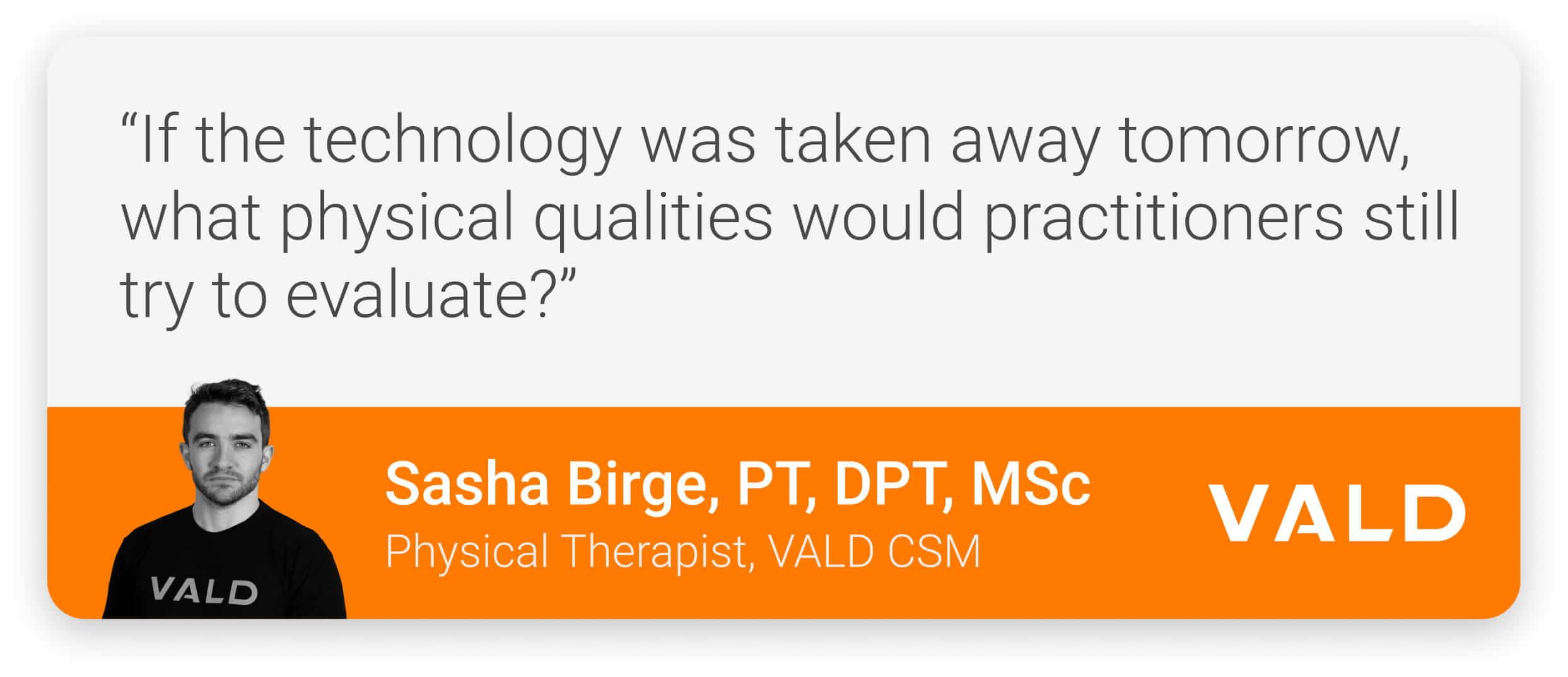
The updated metric selections were informed by extensive feedback from experienced VALD Client Success Managers (CSMs) and practitioners working across multiple industries. Throughout the metric update process, the CSMs were guided by one key question:
From this process, the selected metrics were chosen to better reflect the movement characteristics and physical qualities practitioners most commonly assess, helping ensure ForceDecks automatically displays information that is more relevant to both clinical and performance decision-making.
Default Update Examples
Isometric Assessments
Isometric assessments are among the most common testing options on ForceDecks, often used to evaluate a patient’s maximal- and rapid-force capabilities, such as peak force and rate of force development (RFD). Therefore, updated defaults for isometric tests, including the isometric mid-thigh pull or isometric squat, focus on several foundational qualities.
| Isometric Assessments | |||
| Metric | Unit | Description | Interpretation |
| Peak Vertical Force | N | Maximum force produced during the test. | A patient’s peak force-generating capacity. Higher values indicate greater force production. |
| Peak Vertical Force / Body Mass | N/kg | Maximum force produced during the test, relative to the patient’s body mass. | A patient’s normalized peak force-generating capacity. Higher values indicate greater force production. |
| RFD at 100ms | N/s | Slope of the force-time curve 100ms after the start of the test. The speed of force production at a given time point. | A patient’s explosive strength capacity. |
| Force at 100ms | N | Amount of force produced 100ms after the start of the test. Simpler to interpret than RFD. | A patient’s explosive strength capacity. |
| Start Time to 80% Net Peak Force | s | Amount of time it takes a patient to achieve 80% of their peak force. | A patient’s explosive strength capacity. Often more reliable than RFD. |
These metrics provide practitioners with a broad overview of maximal strength and rapid force production capabilities while remaining relatively easy to interpret and explain.
These metrics provide practitioners with a broad overview of maximal strength and rapid force production capabilities while remaining…easy to interpret…
Jump Assessments
For jump assessments such as the CMJ, practitioners are often interested in understanding both the movement outcome and the strategy used to achieve it. Therefore, the updated default metrics focus on several key qualities.
| Countermovement Jump | |||
| Metric | Unit | Description | Interpretation |
| Jump Height (Imp-Mom) | in | Maximum vertical displacement achieved between the takeoff and landing phases. | Higher jump heights indicate greater vertical power expression. |
| RSI-Mod | m/s | Jump height divided by contraction time, from the start of movement to takeoff. | Greater values indicate greater jump heights relative to contraction time. |
| EPV | m/s | Maximum downward velocity during the eccentric phase (i.e., velocity at the start of the eccentric deceleration phase). | More negative values indicate faster downward velocities. Values closer to zero indicate slower downward velocities. |
| Eccentric Deceleration Impulse Asymmetry | Ns, % | Percent difference comparing the right and left limbs’ impulse (force x time) in the eccentric deceleration phase. | Higher values indicate a less symmetrical deceleration strategy. |
| Countermovement Depth | in | Maximum downward displacement in the takeoff phase of the CMJ. | More negative values indicate greater countermovement depth. |
| Concentric Impulse Asymmetry | Ns, % | Percent difference comparing the right and left limbs’ net impulse (force produced that is greater than body weight x time) in the concentric phase. | Higher values indicate a less symmetrical takeoff strategy. |
Together, these metrics provide insight into a patient’s jump performance, movement strategy and efficiency. They balance easily understood outcomes, such as jump height, with additional context about how the jump was performed, helping practitioners move beyond performance alone to better understand the underlying physical characteristics that contribute to the result.
Making ForceDecks More Accessible Without Losing Depth
One of the key themes behind the update is accessibility. ForceDecks contains several hundred metrics across assessments. While this depth is valuable, it can also feel overwhelming for practitioners entering the VALD ecosystem for the first time.
With updated default metrics, practitioners still retain full control over customization and deeper analysis of their testing data. However, default metrics provide a more practical “factory setting” for common testing scenarios.
…default metrics provide a more practical “factory setting” for common testing scenarios.
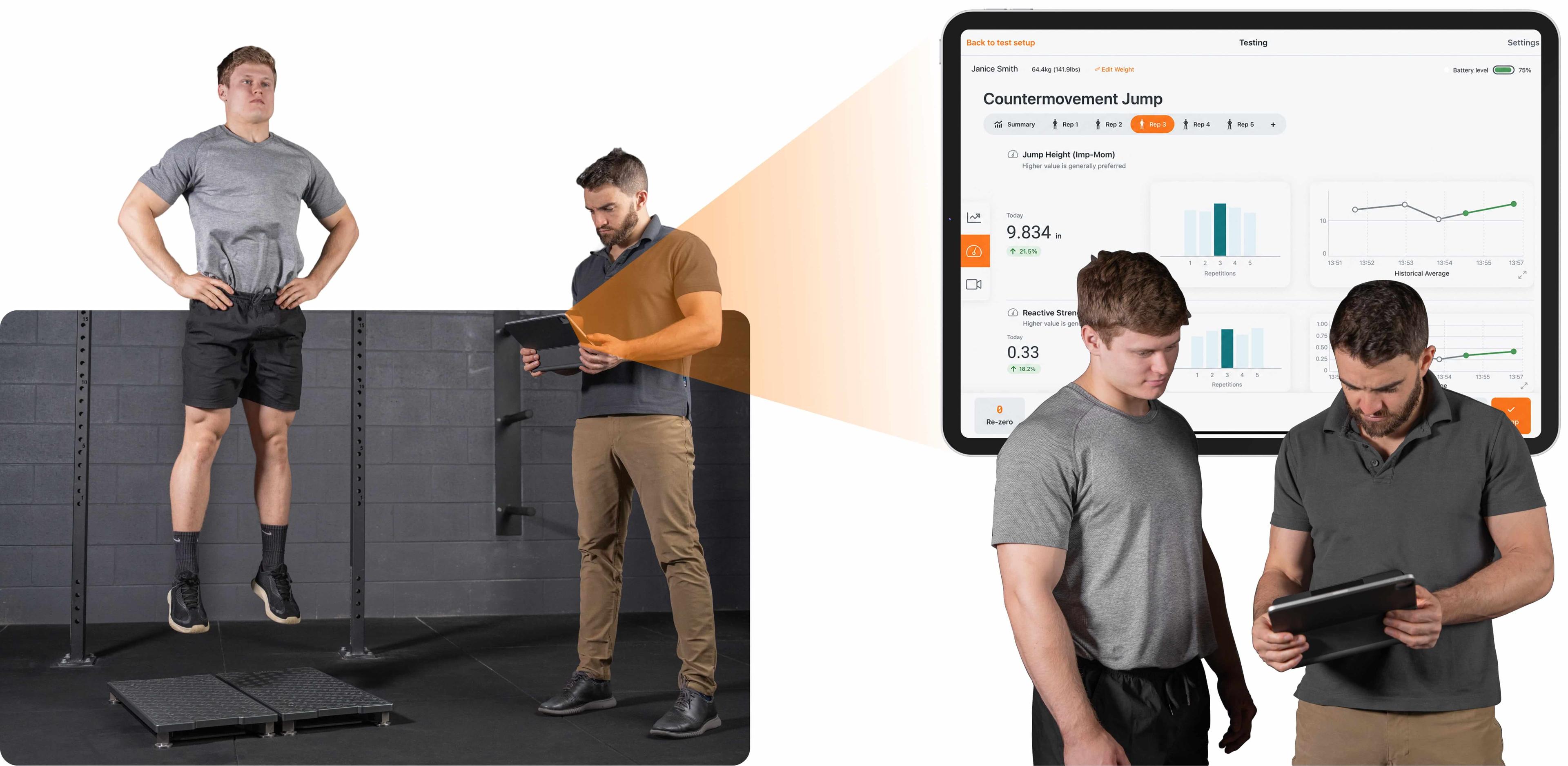
VALD CSM outlining the new default metrics in the ForceDecks iOS app.
A Practical Starting Point
An important part of the update is reinforcing that default metrics are only a starting point. Practitioners can still customize metric selections within the iOS app, while VALD Hub continues to provide dashboards and advanced analysis tools for deeper exploration of rehabilitation progress and performance trends.
This flexibility is important because the physical qualities being assessed often change throughout rehabilitation and training. For example, early-stage anterior cruciate ligament (ACL) rehabilitation may emphasize asymmetry, movement quality and squat depth, whereas later stages may focus on velocity, reactive strength and rapid force production.
As a result, the platform provides both a practical starting point and the ability to adapt metric selection as a patient’s goals and priorities evolve. Metrics remain easy to change in-app, allowing practitioners to quickly and efficiently adjust their metric preferences based on each individual patient.
Evolving with the Industry
As force plate testing continues to expand across health and performance environments, practitioner needs continue to evolve. The updated default metrics are designed to provide a more intuitive array of metrics that reflects the way many practitioners use ForceDecks today. Practitioners still retain access to the full depth and flexibility of the platform, with the update focused on improving usability rather than limiting capability.
If you would like to learn more about ForceDecks and how the updated default metrics can support your testing workflow, get in touch with our team.
